.svg)
.svg)

.png)
.png)

When was the last time a bug made it to production even though all your tests passed? It happens because most testing tools validate code behavior, not user experience. A button can exist in the DOM and still be completely unusable. It could be covered by a modal, shifted off-screen, or unresponsive to clicks. UX issue detection focuses on what users actually encounter, not just what the code says should happen. If you're catching bugs in production that your test suite missed, you're testing the wrong layer.
TLDR:
- Vision-based tools test UX through coordinates, not DOM selectors, catching broken flows traditional tools miss
- Docket uses AI agents to detect confusing interfaces and unresponsive elements before production
- Self-healing tests adapt to UI changes automatically, eliminating maintenance overhead
- DOM-based tools like Mabl and Tricentis break during refactors, requiring manual script repairs
- Docket validates canvas UIs and dynamic content where selector-based frameworks fail completely
What Are UX Testing Tools?
UX testing tools focus on validation rather than simple verification. While functional testing confirms that specific code inputs produce the correct outputs, UX issue detection determines whether a user can complete a workflow without friction. A feature can be technically bug-free yet practically unusable due to poor design logic or unexpected layout shifts.
These tools automate the discovery of barriers that standard unit tests miss. Common detections include confusing navigation structures, elements that render but remain unclickable, or multi-step processes lacking clear feedback. By identifying these flaws early, engineering teams correct logic errors that impact the actual user experience before deployment.
How We Ranked These Tools
This ranking framework prioritizes tools that detect user journey friction instead of simple functional pass/fail states. A primary factor is the underlying architecture: comparing reliance on brittle DOM selectors against vision-first models that perceive interfaces like a human. This distinction determines how well tests survive UI iterations without requiring heavy script maintenance.
The analysis also weights the specificity of developer feedback. Effective solutions generate visual evidence such logs, traces, and videos that locate exactly where a user would struggle. This assessment combines technical capabilities with public data on usability testing software reviews to surface tools capable of catching UX regressions before deployment.
Best Overall UX Testing Tool: Docket
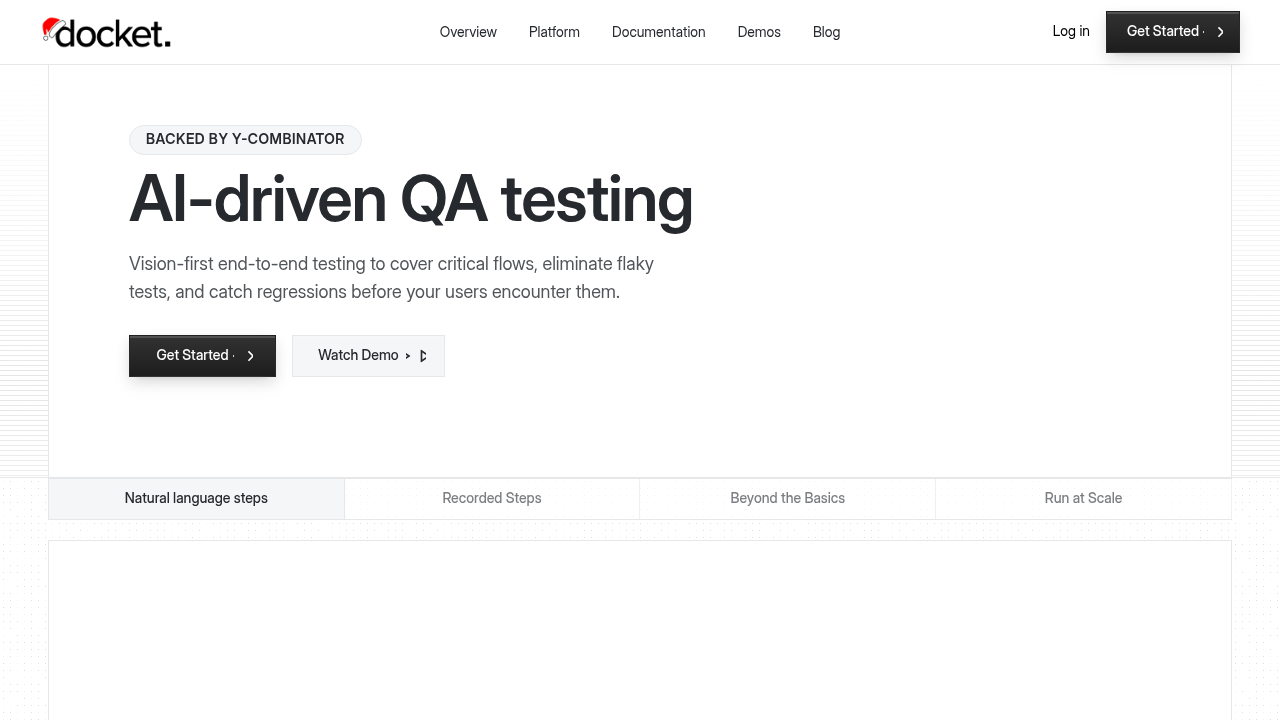
Docket deploys autonomous browser agents to test web applications through a vision-based architecture. Instead of relying on brittle DOM selectors or CSS IDs, the system interacts with interfaces using x-y coordinates and visual recognition. This simulates human navigation, enabling agents to validate complex frontends, including canvas-based elements and dynamic content that standard scripts miss.
The engine evaluates user experience rather than just verifying functional assertions. Agents identify friction points that block customers, such as unresponsive checkout buttons or layout shifts, even if the code technically passes unit tests. This approach prioritizes visual context to catch broken flows before production.
What they offer
- Coordinate-based testing validates canvas UIs and dynamic content where DOM selectors break.
- Natural language creation enables test definition via plain English or simple walkthroughs without coding.
- Self-healing maintenance adapts automatically to UI changes to keep tests passing without manual intervention.
- Visual bug reports generate detailed artifacts with screenshots, console logs, and network traces for rapid debugging.
- UX issue detection flags confusing interfaces and unresponsive elements alongside technical errors.
Good for:
Teams shipping frequent UI changes who need stable end-to-end coverage without selector maintenance, especially products with dynamic or canvas-heavy interfaces and limited QA engineering bandwidth.
Limitation:
Vision-first agents still require initial setup, clear goals, and governance around which flows matter most; organizations expecting a full replacement for QA judgment will still need humans to prioritize issues and interpret edge cases.
Bottom line:
Docket’s coordinate-based, self-healing agents drastically reduce test brittleness while surfacing UX friction that traditional DOM-based tools miss, making it a strong default choice for modern web applications that iterate quickly.
Mabl
Mabl provides low-code automation for agile workflows, using machine learning to adapt to interface updates. It focuses on a visual interface for test creation.
What They Offer
- Low-code recorder for web workflows.
- DOM-based identification with auto-healing logic.
- Cloud execution for cross-browser testing.
- CI/CD pipeline integrations.
Good for: Teams wanting a managed service for standard web apps. It fits organizations requiring visual recording and resilience against minor attribute shifts.
Limitation: Dependency on DOM selectors causes fragility. The tool struggles with structural changes or framework migrations. It cannot test canvas-based interfaces where selectors are absent, resulting in maintenance debt during refactors.
Bottom line: Works for applications with stable DOM structures. Projects with frequent complex UI updates will face higher maintenance requirements than vision-based options.
Tricentis
Tricentis uses model-based testing to separate scanning from test logic. This structure supports codeless test creation across web, mobile, and legacy integrations.
What They Offer
- Model-based test automation optimized for enterprise apps and SAP environments
- Scriptless test creation via a visual interface instead of code frameworks
- Support for web, mobile, API, and legacy system integrations
- Integrations with CI/CD pipelines and test management suites
Good for: Enterprises with heavy SAP dependencies or legacy infrastructure requiring codeless automation.
Limitation: Reliance on DOM-based element recognition creates brittleness when UI structures update. The architecture treats AI as an add-on rather than a core driver, meaning tests often need manual repair. The learning curve remains steep compared to vision-first tools.
Bottom line: Tricentis offers enterprise breadth but demands high maintenance. It fits poorly for teams prioritizing autonomous UX detection.
testRigor
testRigor processes plain English commands to drive functional verification across web and mobile interfaces. By abstracting the code layer, it reduces the technical overhead for building regression suites.

What They Offer
- English-based authoring permits writing test steps without defining CSS selectors.
- Cross-environment execution supports logic against web and mobile operating systems.
- CI integration connects with workflows to run suites on deployment.
Good for: Teams prioritizing accessibility for non-technical members. It validates strict happy paths where visual fidelity is secondary to functional outcome.
Limitation: The engine relies on text recognition. It validates that a workflow completes, not that it is usable. A technically functional but visually broken element passes validation.
Bottom line: testRigor improves authoring velocity but lacks the visual understanding to identify bad user experiences.
QA Wolf
QA Wolf functions as a managed service that pairs automated execution with human verification. The company assigns external engineers to write and maintain Playwright scripts, aiming to increase test coverage by offloading script creation.
What they offer
- Playwright-based automation with human oversight
- Managed service model for script creation and maintenance
- Unlimited parallel test execution
Good for: Organizations looking to outsource the QA workload entirely rather than building internal automation infrastructure.
Limitation: The architecture depends on Playwright and DOM selectors, retaining the fragility of code-based frameworks. Significant UI changes cause test failures that require manual intervention from the external team. This introduces latency compared to vision-based systems that adapt autonomously.
Bottom Line: QA Wolf suits teams prioritizing outsourced management. However, engineering leaders seeking speed will find vision-based agents faster for detecting UX issues without external dependencies.
Reflect
Reflect provides no-code automation for web application regression. It uses a record-and-playback interface, letting users define test cases by clicking through the application rather than writing scripts.
What they offer
- Visual test recorder to capture browser-based user flows.
- Cloud-hosted execution across multiple browsers and environments.
- Integrations with CI/CD pipelines for automated regression runs.
- Screenshot comparison to detect unexpected visual changes.
Good for: Teams that want fast, low-setup functional regression coverage without maintaining local test infrastructure.
Limitation: Reflect relies on DOM-based element selectors behind the scenes. When onboarding flows change such as redesigned signup forms, reordered steps, or new fields, tests often break and require manual updates. The tool focuses on functional correctness and visual diffs rather than diagnosing UX friction that causes onboarding drop-off.
Bottom line: Reflect offers quick, no-code functional regression testing, but teams with rapidly evolving onboarding flows may face ongoing maintenance work and limited visibility into experience-level issues compared to vision-based, coordinate-driven approaches.
Feature Comparison Table of UX Testing Tools
Legacy testing tools bind automation to the DOM, relying on brittle selectors like XPath or CSS IDs. When developers modify the codebase, these tests break. Vision-first agents decouple testing from the underlying code, interacting instead with the visual layer through coordinates and pixel analysis. This architectural difference dictates performance across dynamic elements like HTML5 Canvas and determines the volume of maintenance required.
Why Docket Is the Best UX Testing Tool
Docket validates user journeys through coordinate-based AI agents instead of brittle code selectors. While standard tools check if a DOM element exists in the code, Docket determines if that element actually works for the user. This vision-first approach detects when buttons are obstructed, visually hidden, or unresponsive, even if the underlying code appears correct.
Fixing issues late is expensive; the cost of bugs increases exponentially once software reaches production. Docket mitigates this risk by simulating real user behavior to catch friction points early. Because the agents use visual processing, tests self-heal during UI updates. Engineering teams obtain coverage for dynamic interfaces and canvas applications without the constant overhead of repairing broken scripts.
Final Thoughts on UX Testing Tool Selection
The best user experience QA tools test what users see, not what exists in the DOM. Vision-based automation catches usability problems that functional tests miss entirely, like unresponsive elements or confusing workflows. Your test suite should self-heal during UI updates instead of breaking with every frontend change. Choose tools that understand visual context, and you'll ship better experiences with less maintenance overhead.
FAQs
How do you choose the best UX testing tool for your team?
Start by evaluating whether your application uses dynamic interfaces, canvas elements, or frequent UI updates. Vision-based tools handle these scenarios without maintenance overhead, while DOM-based options work for stable, traditional web apps. Consider your team's technical depth because some solutions require coding expertise, while others operate through natural language or visual recording.
Which UX testing approach works better for teams with limited QA resources?
Vision-first tools that use coordinate-based testing require minimal maintenance because they adapt automatically to UI changes. DOM-based solutions demand ongoing script updates whenever developers modify the interface, consuming engineering time. Teams with constrained resources benefit from self-healing architectures that eliminate the need to repair broken tests after each deployment.
Can traditional testing tools detect UX issues or just functional bugs?
Most legacy tools verify that code executes correctly but miss user experience problems. They confirm an element exists in the DOM without checking if users can actually interact with it. Vision-based systems evaluate whether workflows are usable by simulating human perception, catching obstructed buttons, confusing layouts, and unresponsive elements that pass functional tests.
When should you switch from manual QA to automated UX testing?
Switch when your team deploys weekly or more frequently and manual testing creates release bottlenecks. Automation becomes critical once you've achieved product-market fit and need to scale quality checks without expanding headcount. If developers spend significant time investigating production bugs that could have been caught earlier, automated UX validation delivers immediate ROI.
.svg)

.png)

