.svg)
.svg)

.png)
.png)

You're probably here because you need to decide if BugBug fits your workflow, or if you should look at other options. The tool works fine for simple regression checks, but once your app gets more complex or your team needs cross-browser coverage, the cracks start to show. We've compared BugBug pricing and features against the top alternatives so you can see exactly where each tool wins and where it falls short.
TLDR:
- BugBug uses DOM selectors that break when your frontend changes, requiring constant test maintenance
- Vision-based tools like Docket use X-Y coordinates instead of selectors, eliminating test breakage
- BugBug only supports Chrome; alternatives like Reflect and Mabl offer cross-browser testing
- Docket uses AI agents that adapt to UI changes automatically, reducing maintenance to near zero
What is BugBug and How Does It Work?
BugBug operates as a low-code automation tool focused on web application testing. It serves product teams that require regression coverage but lack the bandwidth to maintain code-heavy frameworks like Cypress. The core workflow uses a Chrome extension to record browser interactions, translating clicks and inputs into replayable test steps without manual scripting.
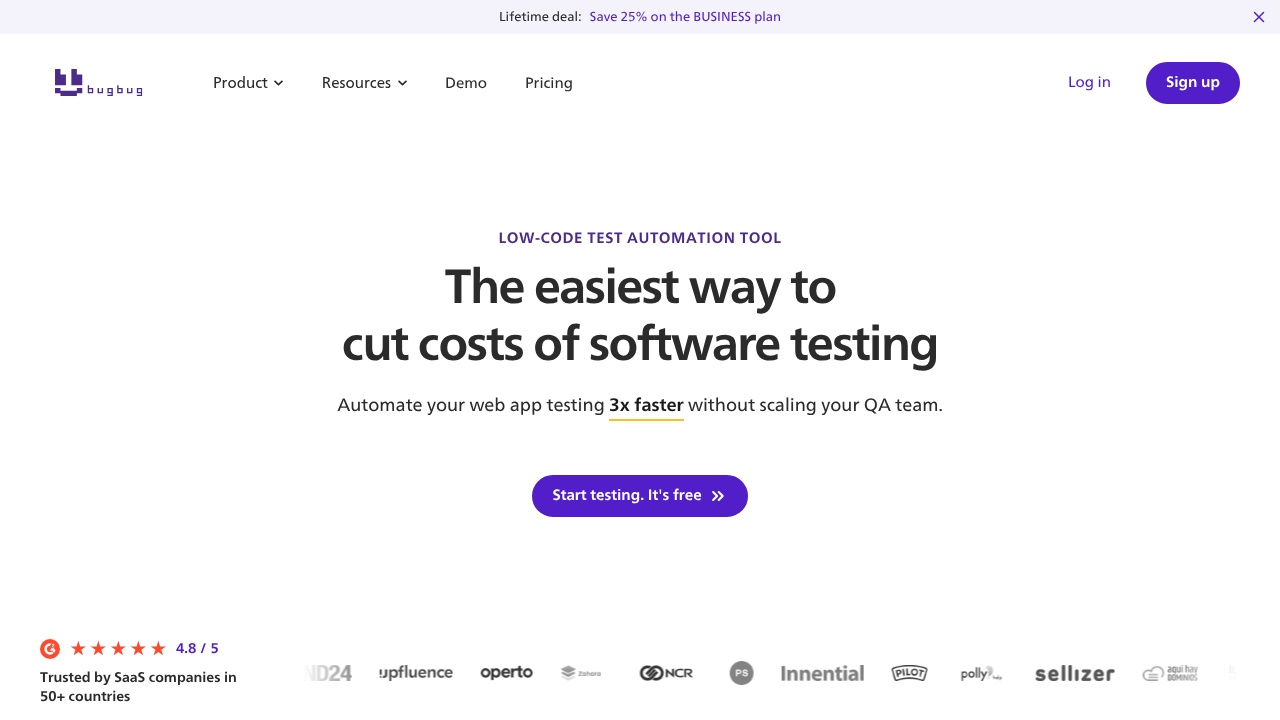
Technically, the engine relies on DOM inspection. When recording, BugBug generates selectors based on HTML attributes, CSS classes, or XPath. It attempts to auto-heal broken tests if attributes shift, but the dependency on the Document Object Model means structural refactors can impact test stability. This contrasts with vision-based models that identify elements via visual coordinates.
Tests execute on cloud infrastructure as opposed to local machines, which uses parallelization to reduce cycle times. For engineering workflows, it integrates with major CI/CD providers to gate deployments based on pass/fail results. The company offers a free tier for basic use and recently added a 14-day free trial for teams to benchmark the cloud runner against their current setup.
Why Consider BugBug Alternatives?
BugBug functions as an entry point for teams requiring simple regression checks on a budget. The record-and-replay interface allows non-engineers to create tests quickly. If your application logic remains static and your user base is primarily on Chrome, the tool manages basic validation effectively.
Scaling teams frequently encounter friction due to reliance on DOM-based selectors. Tests latch onto code attributes like XPaths or IDs instead of visual cues. As a result, frontend refactors often trigger false negatives, forcing engineers to allocate time to maintenance instead of shipping features.
BugBug reviews reveal several functional gaps create limitations for growing organizations:
- Chromium-Only: Testing is restricted to Chrome and Edge. You cannot validate performance on Safari or Firefox.
- Rigid Automation: Recorders capture exact steps. The system cannot adapt if a user flow changes or self-heal when elements move.
- Debugging Depth: Failure flags often lack the network logs or system context required to identify root causes quickly.
Verified reviews also suggest that while the learning curve is shallow, the lack of cross-browser support limits utility for complex products.
Best BugBug Alternatives in December 2025
1. Docket
Docket replaces brittle selector-based recording with vision-first test automation. Unlike BugBug, which relies on DOM elements that break during refactors, Docket's AI agents use X-Y coordinates to automate. This allows tests to self-heal when layouts shift, eliminating the maintenance loops standard in record-and-replay tools.
- Vision-Based Navigation: Interacts via visual coordinates, bypassing DOM selectors entirely.
- Autonomous Agents: Accepts natural language objectives instead of rigid step-by-step scripts.
- Visual Debugging: Video replays and side-by-side screenshots pinpoint exact failure moments.
2. Reflect
Reflect removes local configuration by running a browser instance in the cloud for recording. It captures actions accurately and includes visual regression checks, making it useful for teams wanting zero setup.
- Cloud-Based: No local environment management required.
- No-Code: Interface designed for non-technical users.
- Limitations: Network latency causes input lag during recording; pricing starts at $200/month.
3. testRigor
testRigor allows users to write tests in plain English commands, such as "click cart." This abstraction helps manual testers participate in automation without learning code syntax.
- English Authoring: Define steps in natural language.
- Generative AI: Generates test steps automatically.
- Limitations: Strictly procedural; lacks autonomous decision-making for complex flow changes.
4. QA Wolf
QA Wolf offers a managed service model, selling test coverage instead of software. Their internal team builds and maintains Playwright scripts, targeting organizations that want to outsource QA entirely.
- Done-For-You: Outsourced test creation and maintenance.
- Unlimited Runs: High parallelization capacity.
- Limitations: Slower feedback loops and vendor lock-in for intellectual property.
5. Mabl
Mabl is a low-code suite for enterprise teams, combining UI, API, and performance testing. It integrates into complex CI/CD workflows like Jenkins and Azure DevOps.
- Unified Testing: Combines functional and non-functional checks.
- Auto-Healing: Attempts to repair minor selector breaks.
- Limitations: Relies on the DOM, causing flakiness in fast shipping applications.
Feature Comparison: BugBug vs Top Alternatives
Feature Comparison Matrix
Assessing architecture matters more than comparing feature lists. BugBug executes strictly on Chromium using DOM selectors. This setup functions for static web apps but introduces friction for teams needing cross-browser coverage or testing against evolving frontends.
The table below contrasts the architectural approaches of BugBug and its primary competitors.
Technical Differentiators
BugBug targets individual developers with a free tier, but its reliance on the Document Object Model (DOM) creates long-term maintenance overhead. When a developer updates a CSS class or div structure, DOM-based scripts often fail because the reference points vanish.
Competitors like Reflect and Mabl also depend principally on the DOM. Docket removes this dependency by deploying vision-based agents. These agents analyze the screen visually, identifying UI elements by coordinates as opposed to code (exactly as a human user interacts with the application). This method remains stable even when the underlying HTML structure changes.
Why Docket is the Best BugBug Alternative
BugBug relies on a Chrome extension to record inputs and replay them via DOM selectors. This ties test stability directly to the underlying code structure. If a class name changes or a container moves, the script breaks. Engineers end up spending more cycles patching broken tests than shipping new features.
Docket takes a vision-first approach. AI agents analyze the application video feed and interact using X-Y coordinates, identical to how a human user uses applications. Instead of rigid step-by-step scripts, you define the test intent in natural language. The agent scans the visual interface to locate elements and execute the workflow autonomously.
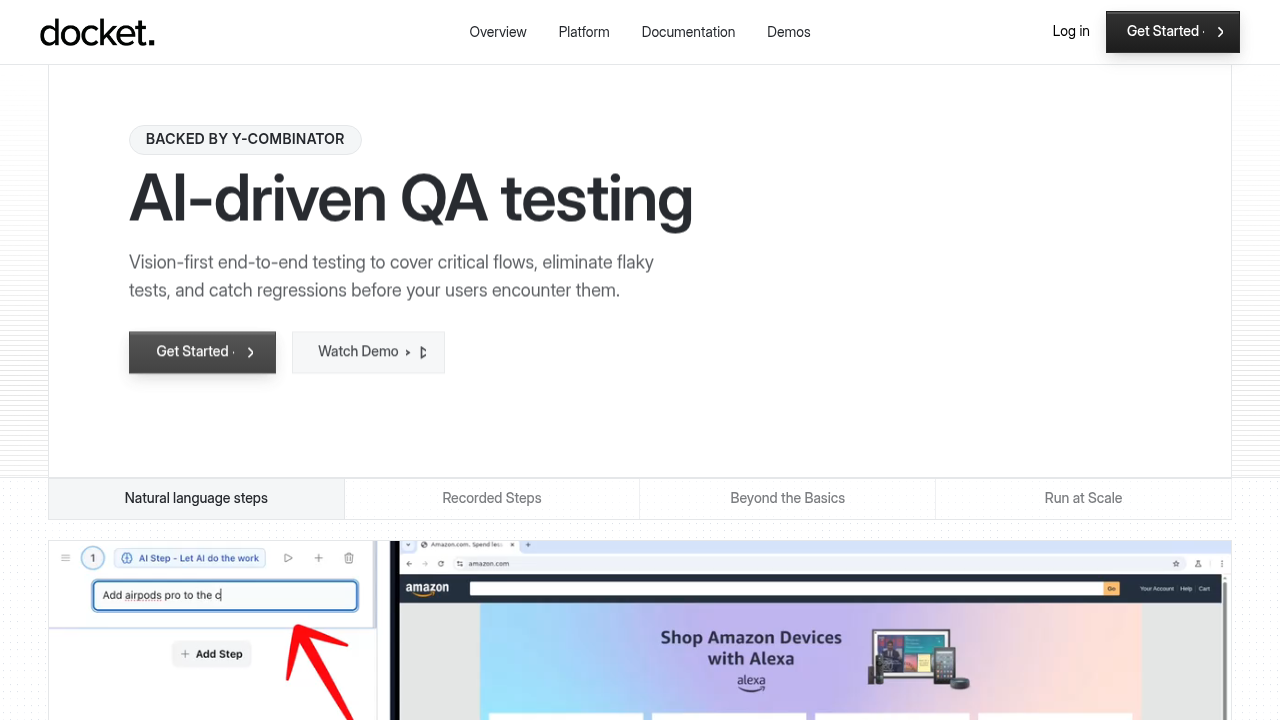
This method decouples QA from the codebase. If a button moves to a new location, the agent recognizes it visually and adjusts without manual intervention. It also supports interfaces that hide their structure from the DOM, such as HTML5 Canvas or WebGL.
Final thoughts on test automation that doesn't break
When you're comparing BugBug alternatives, pay attention to how each tool identifies elements on the page. Selector-based recorders create maintenance overhead because they depend on code attributes that change. Vision-based automation reads your interface visually, so tests adapt when layouts shift. If your team is spending more time fixing tests than writing them, it's time to try a different method.
FAQ
Why do teams look for alternatives to BugBug?
Most teams outgrow BugBug when they need cross-browser testing or when DOM-based selectors create too much maintenance overhead. If your frontend changes frequently or you're testing evolving interfaces, the Chrome-only limitation and selector brittleness become blockers.
When should you consider switching from a DOM-based testing tool?
If you're spending more than a few hours per week fixing broken tests after UI updates, or if your application uses Canvas or WebGL elements that DOM selectors can't reach, it's time to consider vision-based alternatives that interact via coordinates instead of code attributes.
What should you prioritize when comparing test automation alternatives?
Focus on how the tool identifies elements (DOM selectors vs. visual coordinates), whether it supports your target browsers, and how much maintenance the approach requires. Self-healing capability and debugging depth matter more than feature count for long-term ROI.
How does vision-based testing differ from record-and-replay tools?
Vision-based tools like Docket analyze the screen using X-Y coordinates to locate elements, similar to how a human sees the interface. Record-and-replay tools capture DOM selectors tied to your code structurethat break when HTML changes, whereas, vision-based tests adapt automatically without manual updates.
Can coordinate-based automation handle applications that hide their DOM structure?
Yes. Because coordinate-based agents interact with the visual elements instead of the underlying code, they work on Canvas elements, WebGL interfaces, and other technologies where traditional DOM selectors fail or require complex workarounds.
.svg)

.png)

