.svg)
.svg)

.png)
.png)

Everyone talks about moving fast and breaking things, but you can't actually afford to break things in production. Your startup is past the scrappy MVP stage, shipping multiple times per week, and manual QA is becoming a bottleneck. The usual answer is test automation, but most startup QA tools depend on DOM selectors that break whenever your developers touch the frontend. You're stuck choosing between shipping fast or shipping confidently.
TLDR:
- Vision-based testing uses coordinates instead of DOM selectors, keeping tests stable through UI changes
- High-growth startups need scalable testing without adding headcount or maintenance overhead
- Self-healing tests adapt automatically when your frontend changes, eliminating selector updates
- DOM-based tools break during refactors; coordinate-based testing stays resilient through daily deploys
- Docket uses AI agents for coordinate-based testing that requires under 1 hour weekly maintenance
What is QA Automation for High-Growth Startups
QA automation for high-growth startups means building test coverage that scales with your product velocity. Once you hit product-market fit, you're shipping daily or weekly instead of monthly. Manual QA can't keep pace, and adding headcount doesn't solve the problem when your release cadence doubles every quarter.
The difference between startup QA and enterprise testing comes down to constraints. Enterprises have dedicated QA teams, months-long planning cycles, and legacy systems that favor stability over speed. High-growth startups need automation that works immediately, requires minimal maintenance, and doesn't block deploys. You're running lean, shipping fast, and can't dedicate engineering time to maintaining selectors for every new feature.
That's why automation becomes necessary after PMF. Teams using test automation report faster release cycles and fewer production bugs. Without it, you're forced to choose between shipping quickly or shipping confidently.
The goal isn't perfect coverage from day one. Start with critical user flows that would hurt most if they broke: signup, checkout, core product workflows. You need tests that catch regressions without creating their own maintenance overhead.
How We Ranked These QA Automation Tools
We ranked each tool on criteria that directly impact engineering velocity at high-growth startups. These are factors you can verify through documentation, trial periods, and implementation complexity.
Setup time matters because you need coverage now, not in three months. We looked at how long it takes to get your first test running, including infrastructure requirements or learning curve for your team.
Test maintenance overhead is the killer for startup QA. We assessed how each tool handles UI changes. Does it break every time you refactor a component? Can non-engineers update tests, or does it require dedicated automation engineers?
Self-healing capabilities determine whether your test suite becomes a burden or an asset. We tested how tools adapt when selectors change, layouts shift, or workflows evolve. Vision-based approaches differ fundamentally from DOM-based tools here.
Integration requirements affect deployment speed. We checked CI/CD compatibility, whether you need separate test environments, and how results surface to your existing workflow in Slack or Linear.
Scalability for startups means running more tests without proportionally more maintenance time. We favored tools where test suite growth doesn't require growing your QA team.
Best Overall for High-Growth Startups: Docket
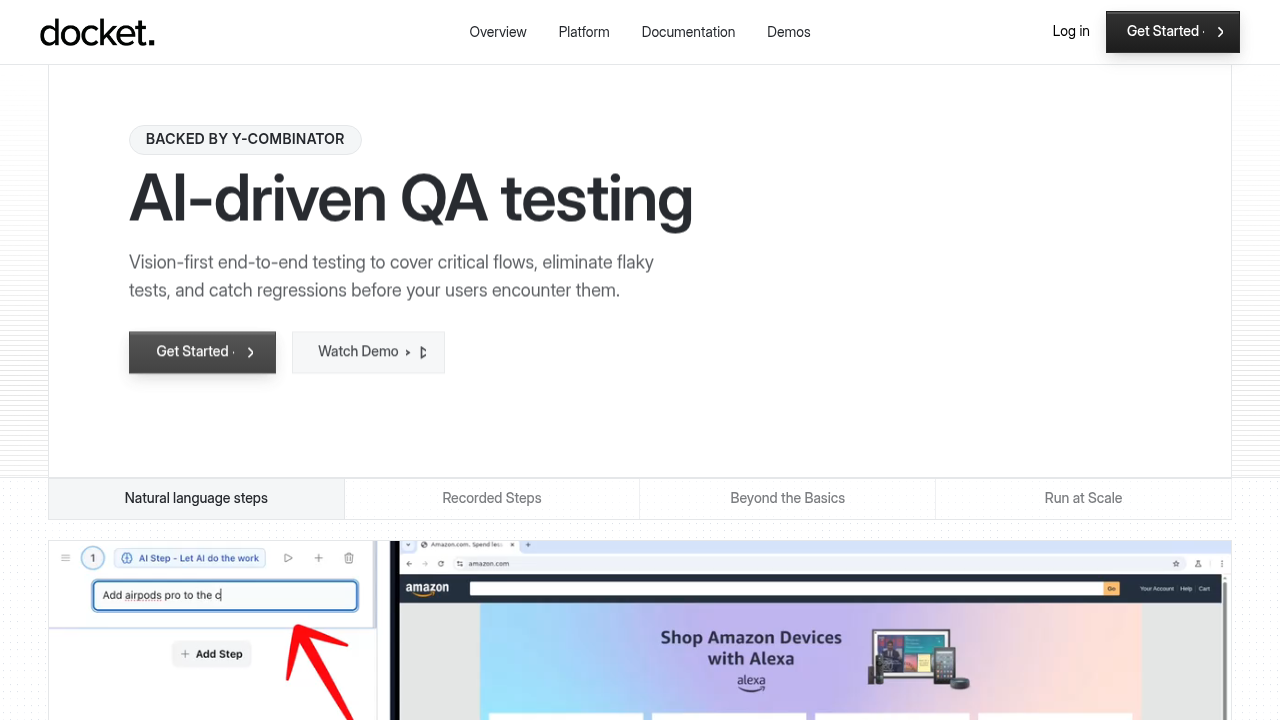
Docket uses coordinate-based testing instead of DOM selectors. Docket's AI agents interact with elements based on visual position as opposed to CSS classes or IDs. Tests stay resilient when UI changes, which drops maintenance time close to zero.
Docket was built for growth-stage companies that need test coverage without hiring dedicated QA engineers. If you're shipping daily or weekly, you can't afford tests that break every time your frontend changes.
What Docket offers
- Vision-based testing using x-y coordinates instead of DOM selectors, so tests stay stable through UI refactors
- Self-healing tests that adapt to UI changes automatically without manual selector updates
- Natural language test creation that lets non-technical team members write test cases
- Step recorder for caching common flows like login and checkout to reduce redundant setup steps
- Visual bug reports with screenshots, console logs, network traces, and replayable videos for faster debugging
- CI/CD integration with Slack, Linear, and Jira to route test failures directly into your workflow
- Exploratory testing mode that uncovers issues beyond predefined scenarios
Why coordinate-based testing matters
DOM-based tools break when you refactor a component or adjust your layout. Selectors fail and tests require manual updates before you can ship.
Docket finds elements by what they look like and where they appear on screen. When your button moves or your styling changes, tests keep working. This approach handles canvas-based UIs, content that loads at runtime, and complex interactions that DOM-based tools can't reliably test.
Built for teams that ship fast
Docket customers deploy multiple times per day without regression testing bottlenecks. The AI understands intent, not brittle locators. When your checkout flow changes, tests adapt without manual updates. You get coverage without the headcount or maintenance burden.
QA Wolf
QA Wolf provides managed QA automation services where their team builds and maintains your test suite for you.

What they offer
- Managed service with dedicated QA engineers assigned to your account who build and maintain tests on your behalf
- 80% end-to-end test coverage guarantee within four months of engagement
- Unlimited test runs with parallel execution across multiple browsers and devices
- 24-hour bug reports that include triaging and direct Jira integration
Good for teams that prefer outsourcing their entire QA function and have budget for ongoing managed services.
The tradeoff is reliance on an external team for test creation and maintenance instead of empowering your own engineers to own testing. Test changes require coordination with your assigned QA engineers, which can slow iteration speed compared to tools your team controls directly.
testRigor
testRigor is a no-code testing tool that uses plain English commands to generate test scripts.
What they offer
- Plain English test creation that lets non-technical team members write tests using commands like "click on login button" without touching code
- Testing coverage across web, mobile, and desktop applications from a single test script
- CI/CD integrations with Jenkins, GitHub Actions, and other popular deployment pipelines
- Visual test reports that capture screenshots at each step for debugging failed test runs
Works well for teams without dedicated QA engineers who need to write tests in natural language.
The core limitation is DOM-based element identification. When your developers refactor components or restructure the DOM tree, tests break even though the UI looks identical to users. testRigor includes self-healing capabilities, but these still rely on parsing HTML structure instead of visual recognition.
testRigor removes coding from the equation, but the selector problem persists. Docket skips DOM parsing entirely by using coordinate-based testing that matches what users actually see on screen.
Virtuoso QA
Virtuoso QA combines scriptless test automation with natural language authoring and self-healing capabilities.
What they offer
- AI-powered test authoring that accepts natural language instructions instead of requiring code
- Self-healing tests that use AI to adapt when UI changes break traditional selectors
- Visual regression testing for catching unintended design changes
- Integration with CI/CD pipelines and test management tools
Good for teams that want scriptless automation with AI-assisted maintenance.
The limitation is that Virtuoso still relies on DOM-based element recognition with AI enhancements layered on top. Tests depend on HTML structure and fail against canvas-based UIs, complex interfaces, or heavily customized components where selectors become unreliable.
Virtuoso applies AI to traditional DOM-based testing. Docket's coordinate-based architecture removes the selector brittleness problem entirely.
Reflect
Reflect is a low-code test automation tool built around browser recording for visual test creation.
What they offer
- Browser-based test recorder that builds tests through click-and-record interaction, removing the need to write code manually
- CI/CD integrations that run tests automatically in deployment pipelines
- Visual assertions that validate UI appearance and detect unintended changes between test runs
- Scheduling and reporting features for tracking test results over time
Good fit for small teams that prefer recording tests visually over writing code.
The constraint is DOM element identification. When UIs change, selectors break and tests fail. Reflect requires manual test updates when application flows change, creating ongoing maintenance work.
Reflect makes test creation easier but doesn't solve maintenance. Docket's vision-based approach handles both creation and execution without selector brittleness.
Leapwork
Leapwork uses flowchart-based test design for no-code automation.
What they offer
- Visual flowchart interface for building tests without code, using drag-and-drop building blocks for actions like login or form submission
- Cross-application testing across desktop and web apps from a single tool
- Scheduling and reporting for managing test runs
Works well for teams that prefer visual flowchart-style design and need desktop application coverage alongside web testing.
The constraint is element identification. Like most tools, Leapwork relies on DOM selectors that break when UIs change. The flowchart model also scales poorly for complex test scenarios, and web apps require upfront configuration to map elements correctly.
Mabl
Mabl is a low-code test automation tool that uses browser recording to build tests and includes AI-assisted element identification.
What they offer
- Test creation through click-and-record workflows that capture interactions as you click through your application
- Self-healing selectors that attempt to automatically repair broken tests when the DOM changes
- Data-driven testing for parameterized test runs across multiple input sets
- Built-in performance and accessibility checks alongside functional tests
Works well for teams wanting functional, performance, and accessibility testing in one tool.
The tradeoff is that Mabl uses DOM-based selectors with AI layered on top. Self-healing is reactive as opposed to preventative, so tests still break when your app changes. Teams shipping frequently still spend time maintaining test suites as the codebase evolves.
Katalon
Katalon covers web, mobile, API, and desktop testing in one tool.
What they offer
- Testing across web, mobile, API, and desktop apps
- Codeless and scripted test creation options
- Built-in test case management and reporting
- CI/CD integrations and test management system support
Good for teams that need one tool to handle multiple testing types across different platforms.
The tradeoff is breadth over depth. Katalon relies on DOM-based selectors that break when UI changes, requiring manual updates. The learning curve is steeper than specialized tools, and there's no agentic AI for autonomous test creation or maintenance.
ContextQA
ContextQA is an AI-powered test automation tool focused on web application testing.
What they offer
- AI-assisted test creation with recording capabilities that capture user interactions as you click around
- Integration with CI/CD pipelines for automated test execution
- Cross-browser testing support across major browsers
- Test execution reporting and analytics for tracking results
Good for teams looking for AI-enhanced test recording with standard browser support.
The limitation is manual test authoring. You must write out each click and action instead of describing what you want to test. ContextQA's AI assists with recording but doesn't provide autonomous agents that understand intent. Tests require specifying every interaction step-by-step, creating more upfront work and ongoing maintenance.
Tricentis Testim
Tricentis Testim offers AI-powered test automation built around stability and execution speed.
What they offer
- AI-powered test creation with smart locator strategies that adapt to minor UI changes, reducing test breakage from DOM updates
- Parallel execution capabilities that distribute tests across multiple environments to shorten CI/CD feedback loops
- Integration with popular CI/CD pipelines and development tools like Jenkins, GitHub Actions, and Jira
- Root cause analysis features that surface failure patterns and help teams debug broken tests faster
Works well for enterprise teams already invested in the Tricentis ecosystem who need tight integration across their testing stack.
The core architecture remains DOM-based with AI layered on top for locator improvements. Tests still break when selectors change, requiring manual updates. The enterprise-focused pricing and feature set often exceeds what high-growth startups need, adding budget strain without proportional value.
Testim enhances traditional selector-based testing with AI. Docket uses coordinate-based automation from the ground up, eliminating DOM dependencies entirely for more resilient tests with less upkeep.
Feature Comparison Table
Here's how Docket compares across the capabilities that matter for high-growth startups:
The key difference is testing approach. DOM-based tools require maintenance when your UI changes. Coordinate-based testing stays resilient through refactors, design updates, and component restructuring.
Why Docket is the Best QA Automation Tool for High-Growth Startups
High-growth startups face a specific constraint: you're shipping constantly but can't afford dedicated QA engineers. Regression testing consumes 40-50% of QA team time, and 60% of teams now automate this work with AI tools.
Docket eliminates the tradeoff between velocity and quality. Docket's coordinate-based architecture stays resilient through the constant refactoring that defines post-PMF companies. When you ship daily, DOM-based tools create maintenance debt that slows deploys. Tests on Docket are able to maintain themselves.
The result is test coverage that scales with your product velocity instead of fighting it. Your engineers ship features while our AI agents handle regression testing, exploratory testing, and bug detection across critical user flows.
Final thoughts on test automation for fast-moving teams
The difference between scalable testing and maintenance hell comes down to how tools handle UI changes. You're shipping too fast to manually update selectors every sprint. Start with the flows that would hurt most if they broke, choose tools that adapt automatically, and build test coverage that keeps pace with your product velocity.
FAQ
How do I know when my startup needs QA automation?
You need automation when manual testing can't keep up with your release cadence. Typically after product-market fit when you're shipping weekly or daily. If your team is choosing between shipping fast or testing thoroughly, or if regression bugs are reaching production regularly, it's time to automate.
What's the difference between coordinate-based and DOM-based testing?
DOM-based tools identify elements using CSS selectors or HTML IDs that break when your code changes. Coordinate-based testing finds elements by visual position on screen, like a human would, so tests stay stable through UI refactors and design updates without manual selector maintenance.
Can I use QA automation if my team doesn't have dedicated QA engineers?
Yes. Modern tools like Docket let non-technical team members create tests using natural language or step recording. You don't need QA engineers or automation specialists to build and maintain test coverage for critical user flows like signup and checkout.
How much time should I expect to spend maintaining automated tests?
DOM-based tools typically require 3-8 hours per week updating selectors and fixing broken tests after UI changes. Vision-based tools like Docket drop maintenance to under 1 hour per week because tests adapt automatically when your interface changes.
When should I start with exploratory testing versus predefined test scenarios?
Start with predefined tests for critical user flows that would hurt most if they broke such as checkout, signup, core product workflows. Add exploratory testing once you have baseline coverage to uncover edge cases and UX issues beyond your known scenarios
.svg)

.png)

